
August 24, 1995.…
If you were working in IT (or simply alive) at the time, you’ll remember the hype. Jay Leno introduced it. The Rolling Stones were reportedly paid millions to let Microsoft use “Start Me Up.” People queued at midnight—not for a games console, but for an operating system.
It has now been 30 years since Microsoft launched Windows 95.
For the public, it was a revolution. It killed off the command line for the average user and introduced the Start Menu, the Taskbar, and “Plug and Play.”
But for those of us who manage systems, Windows 95 marked the beginning of a very particular kind of anxiety. Sitting here in 2025, deploying Windows 11 (and peering ahead to Windows 12), it’s striking how little has actually changed. The graphics are sharper, the clouds are bigger, but the core battles of the System Administrator drivers, deployment, and dependencies are hauntingly familiar.
Here’s why we’re arguably still fixing the same problems we were dealing with in 1995.
1. The “Blue Screen” Makeover: IRQ vs Kernel Security
In 1995, the bane of every PC builder’s existence was the IRQ conflict.
Trying to install a Sound Blaster 16? Good luck. If your modem was already using IRQ 5, you were in for a long night of jumper switching and BIOS tweaking. And if you got it wrong, you were greeted by the raw, cobalt-blue screen of death—full of hex codes that felt like a personal insult.
Fast forward to 2025. We no longer move physical jumpers. Windows manages hardware resources automatically. But the BSOD is still very much with us.
Yes, Microsoft has given it a facelift. It’s a lighter blue now, complete with a sad-face emoji and a QR code. But the underlying cause is often the same: a low-level driver conflict.
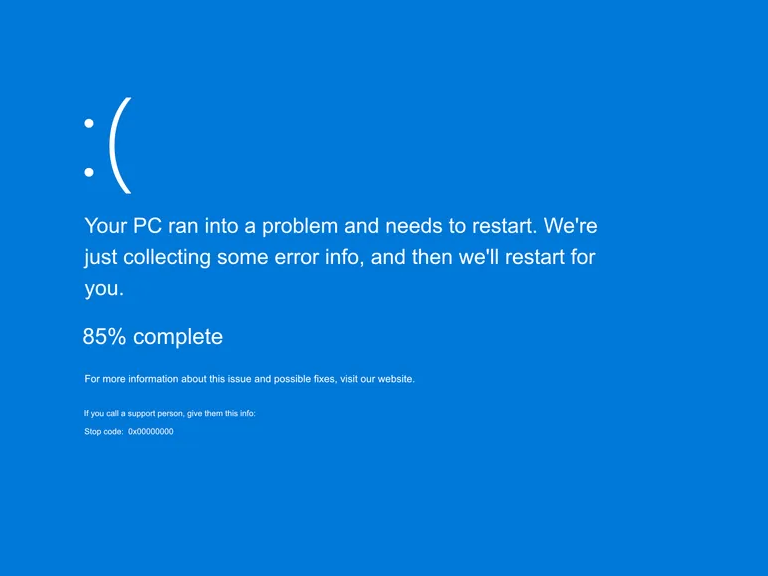
Remember the global CrowdStrike outage in July 2024? It wasn’t malware. It was a misbehaving kernel-level driver. In 1995, a bad driver froze your mouse. Today, a bad driver grounds airlines. We traded manual IRQ settings for automated kernel drivers—but when they fail, the result is identical: the machine stops.
2. Deployment: From Ghost to Autopilot
In the late 90s and early 2000s, deployment was an art form built around Norton Ghost.
We spent days crafting a “Golden Image.” We stripped out drivers, ran Sysprep (if we were being conscientious), and burned it onto stacks of CDs or lugged around hefty external HDDs. We walked from desk to desk, ghosting machines. If the hardware didn’t match exactly—say the motherboard had a different chipset—you’d get a HAL.dll error on boot.
Today, we use Microsoft Intune and Windows Autopilot.
The philosophy has shifted. We don’t “image” anymore; we “provision.” Apps and settings are layered onto the OEM image. In theory, it’s cleaner.
But ask any Intune admin about the Enrolment Status Page (ESP). Staring at that spinning circle, praying it doesn’t hang at “Device Setup: 90%,” triggers the exact same dread as watching a Ghost progress bar stick at 99%. The tools live in the cloud now, but the fear of a failed deployment is timeless.
3. “Plug and Play” vs Zero Trust
Windows 95 introduced “Plug and Play.” Many in the industry jokingly called it “Plug and Pray.” The aim was simple: connectivity. We just wanted the PC to recognise the printer without editing a config.sys file by hand.
Security was an afterthought. In early versions of Windows 95, if you didn’t know the login password, you could literally click “Cancel” and Windows would let you into the desktop anyway.
In 2025, the paradigm has flipped entirely. We’re no longer trying to enable connections—we’re trying to verify them. We operate in a Zero Trust world. We use Conditional Access to block logins unless the device is compliant, the location is trusted, and the user completes MFA.
In the 90s, we tore down walls to get everything onto the internet. In the 2020s, we’re building fortresses to keep the internet out.
4. The Legacy Code That Refuses to Die
Perhaps the most “retro” thing about Windows 11 is what sits beneath the surface.
Dig deep enough into the Control Panel and you’ll still find dialogue boxes that haven’t changed since the mid-90s. The ODBC Data Source Administrator, the properties for older drivers, even some Device Manager icons—all virtually pixel-perfect descendants of their Windows 95 counterparts.
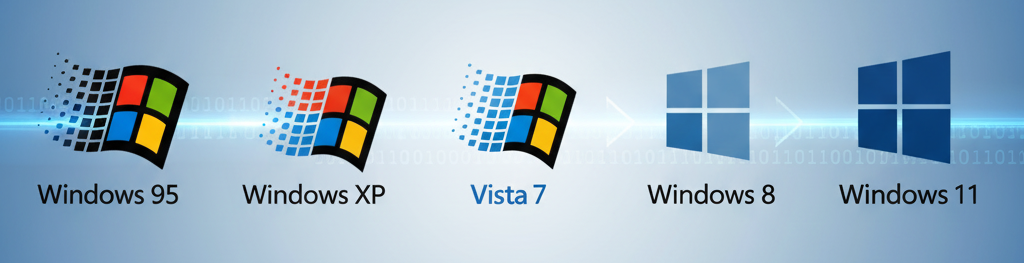
It’s a reminder that modern Windows is a geological formation. Windows 11 sits on top of 10, which sits on 8, 7, Vista, XP, 2000, and NT. We’re standing on the shoulders of giants—and those giants wrote some very persistent code.
Summary: The More Things Change…
So, happy 30th birthday to the operating system that changed the world.
Windows 95 gave us the Start button, which we still use every day. It gave us the Taskbar. It gave us the foundations of modern computing.
For us IT admins, the tools have evolved from floppy disks to cloud tenants, and from batch files to PowerShell scripts. But the core job remains the same: translating human intent into machine logic, and fixing it when the machine decides not to listen.
Here’s to the next 30 years of troubleshooting.